A library that feels like yours
Search and sort tracks, read embedded tags and artwork, organise favourites, create playlists and build smart collections from your own listening history.
LIBRARYPLAYLISTSCOLLECTIONS
YOUR COLLECTION. YOUR CONTROL.
BLACKBOX turns the music files you already have into a personal listening system: a searchable library, considered playback controls and visual spaces built around the sound.
01 / THE SYSTEM
Choose a music folder from your computer or USB drive. BLACKBOX indexes it in your browser; it does not upload your audio collection to a BLACKBOX server.
Search and sort tracks, read embedded tags and artwork, organise favourites, create playlists and build smart collections from your own listening history.
Use a ten-band equalizer, saved presets, optional level matching, playback speed, A–B looping, sleep timer and adjustable crossfade.
Move between Studio, Void and Deck. Switch through six audio-reactive visualizer modes, or open Record for a separate, continuously spinning vinyl view.
Save listening profiles and timestamped Track Moments. Export an Everything ZIP backup, or connect the folder that contains MUSIC, Data and Playlists for portable state.
02 / THREE WORKSPACES + RECORD
The player keeps the same library and queue while you change how it feels.
Full library navigation, playback controls and signal tools.
An immersive visualizer view with controls that step out of the way.
A compact glass-and-metal player with a separate spinning record.
A dedicated vinyl animation that keeps rotating across track changes, with artwork and lyrics overlays.
03 / INSIDE BLACKBOX
Real captures from the desktop player. Explore the record workspace, live visual modes, playback surface and the controls behind them.
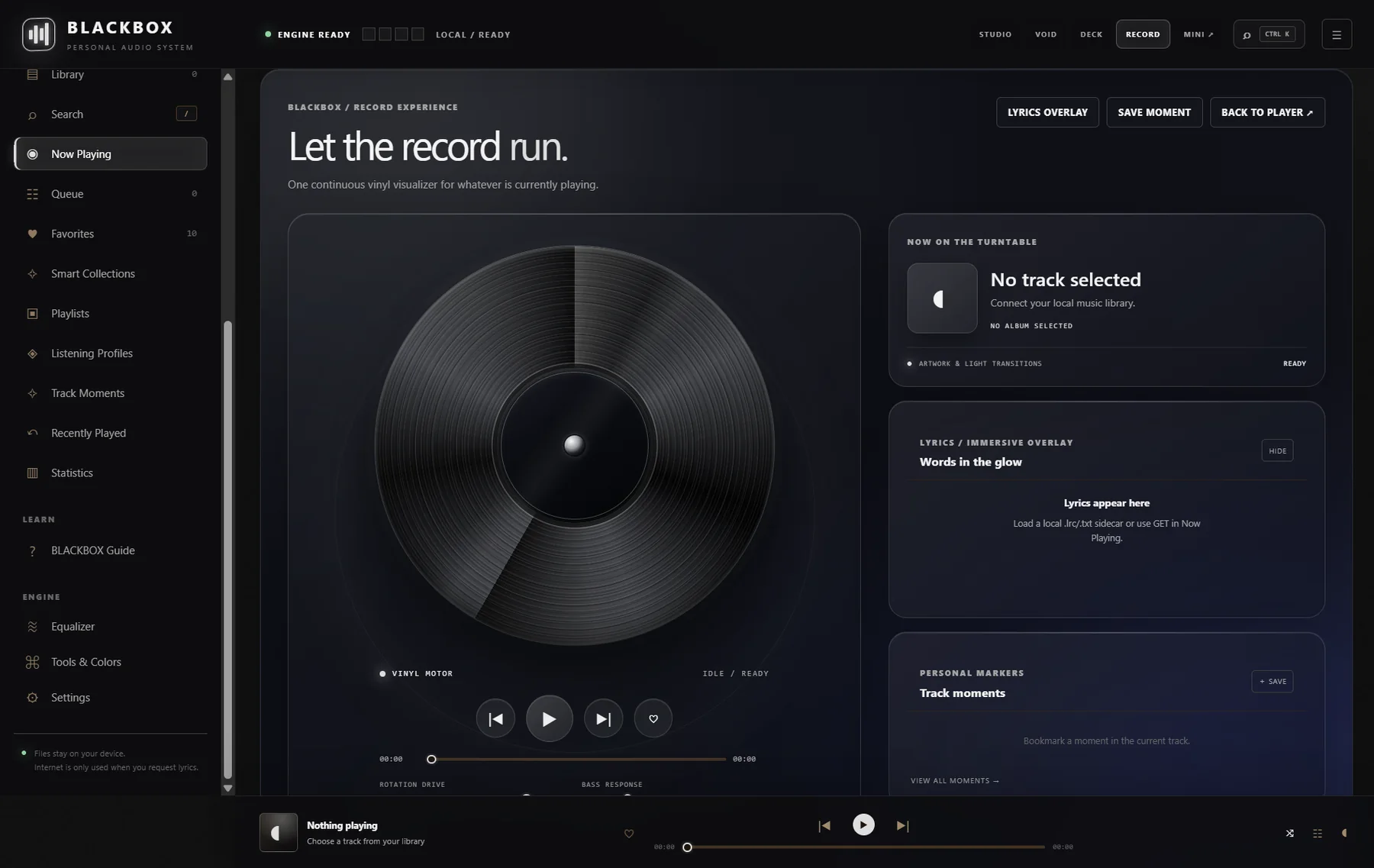 VIEW SCREEN ↗
A dedicated vinyl view with continuous rotation, playback controls, lyrics and personal Track Moments.
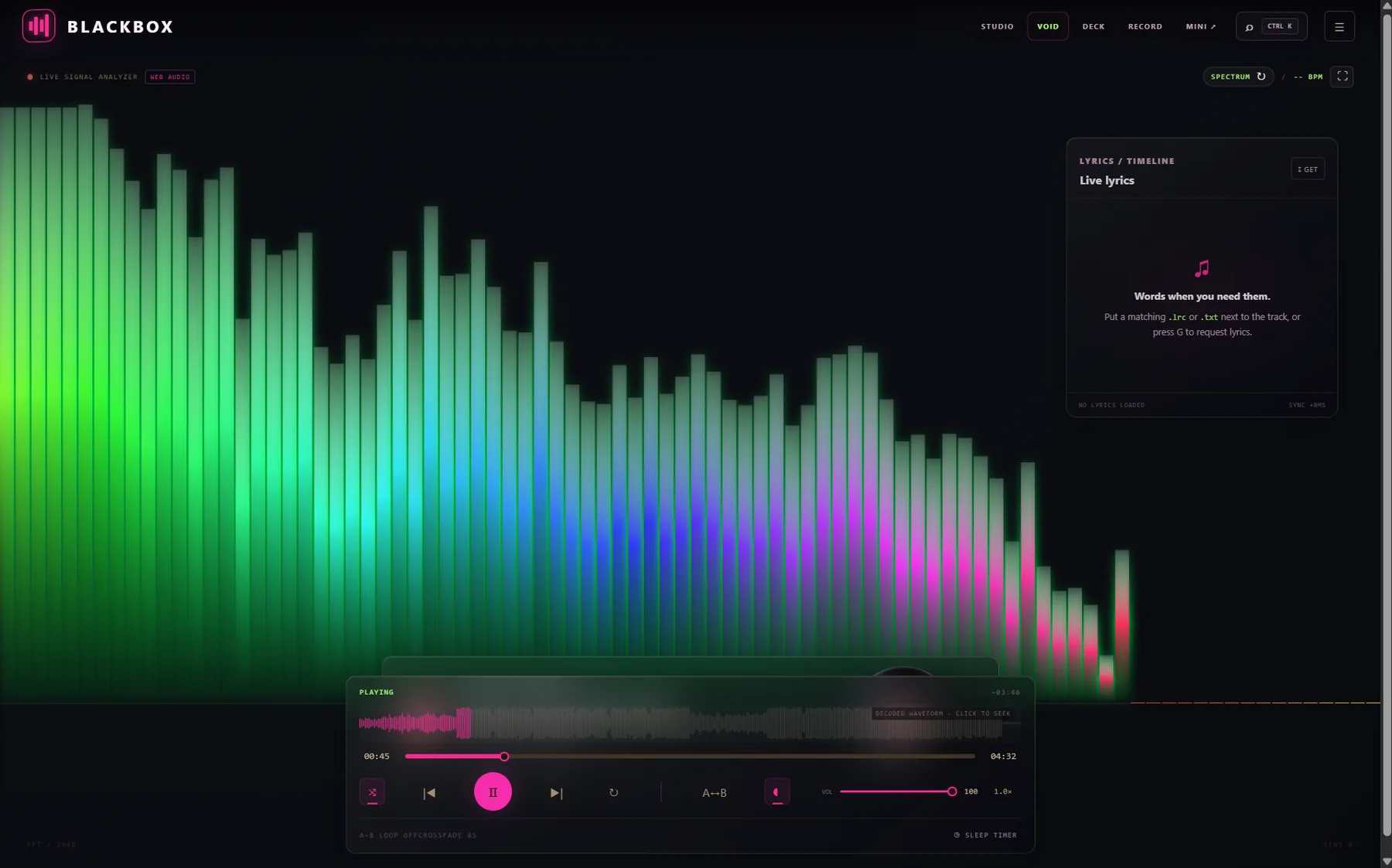 VIEW SCREEN ↗
An immersive analyzer view with live spectrum rendering, lyric timeline and a compact playback deck.
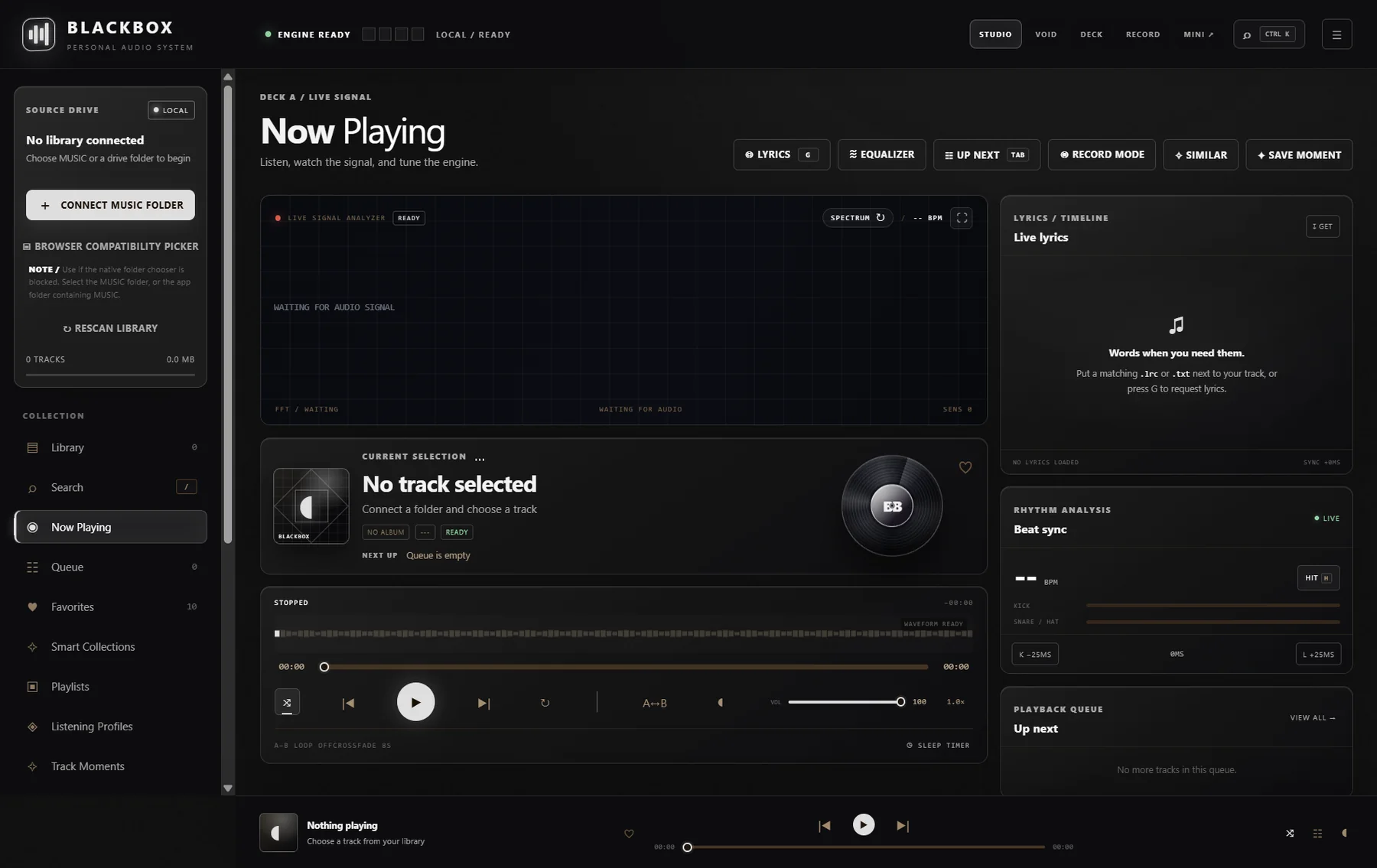 VIEW SCREEN ↗
Library access, current selection, analyzer, lyrics, rhythm tools and playback queue in one workspace.
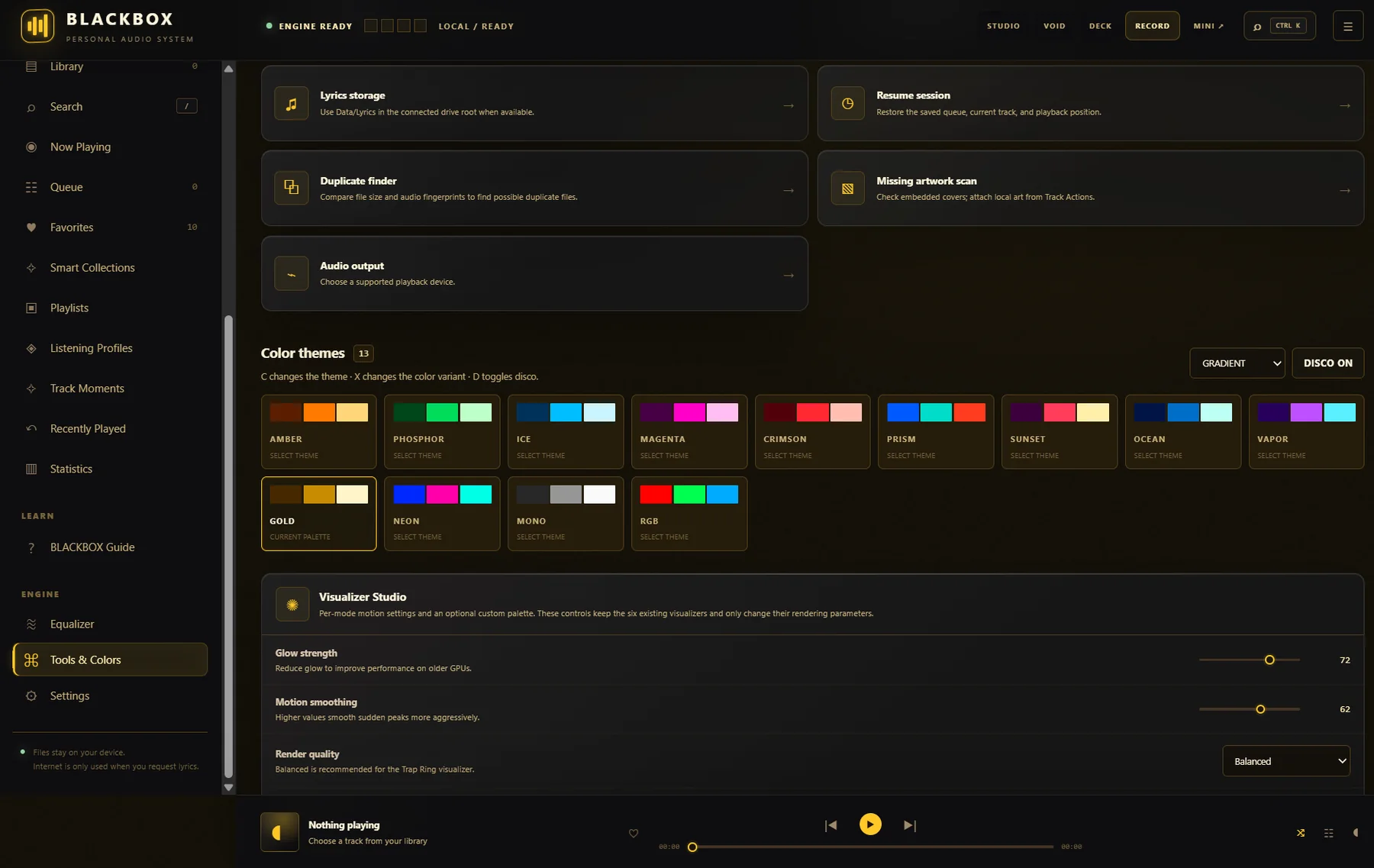 VIEW SCREEN ↗
Choose palettes and adjust glow, motion smoothing and rendering quality for the visual experience.
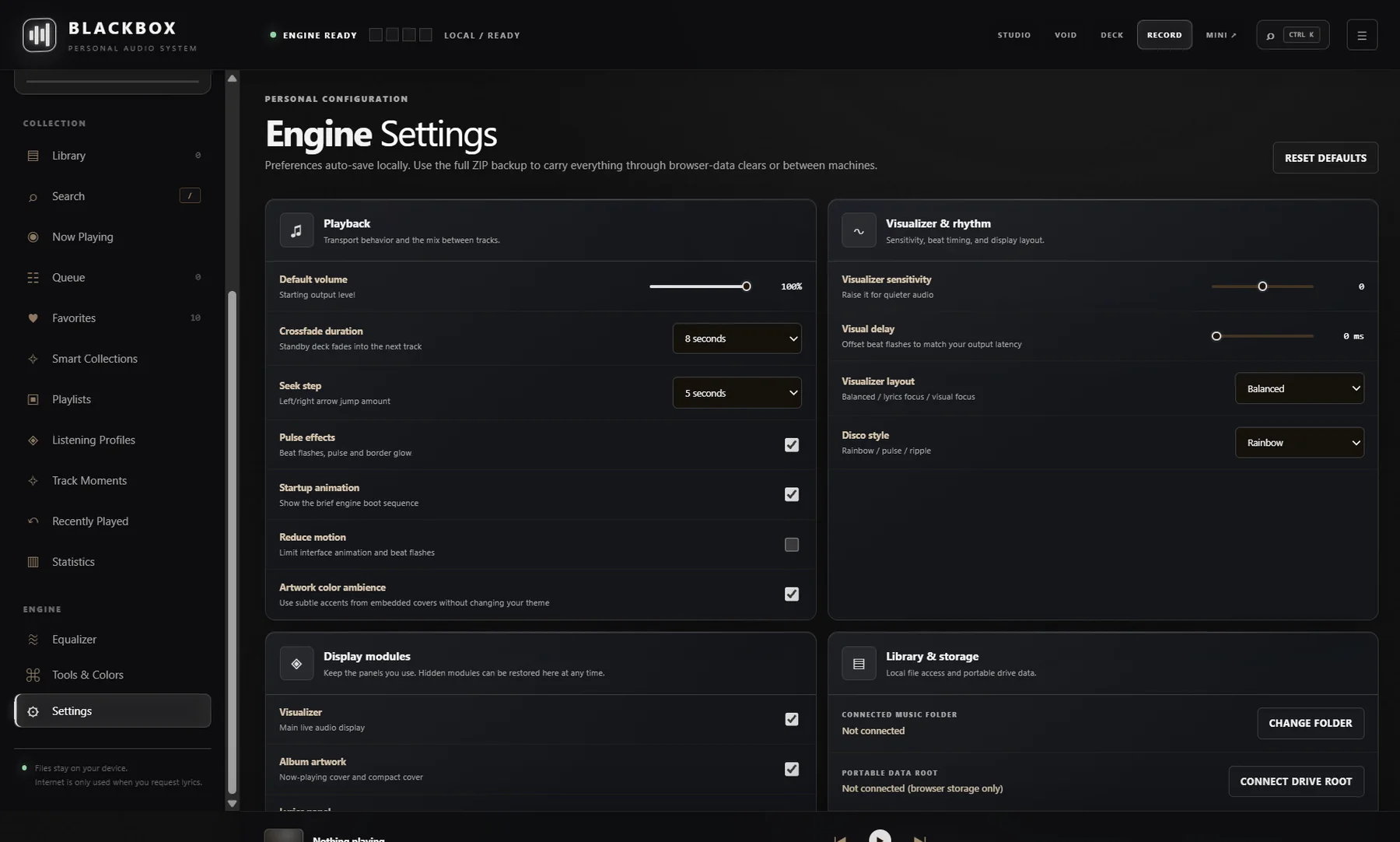 VIEW SCREEN ↗
Personalise playback, visualizer behaviour, display modules and local library storage from one settings space.
A NOTE ON YOUR FILES
BLACKBOX stores its preferences and listening data in your browser, and can mirror compatible data to a connected BLACKBOX folder. The player has no account system, advertising tracker or analytics script. The optional GET LYRICS action sends track title, artist and (when available) duration to LRCLIB; it does not send your audio file. The website host may separately process technical request data to deliver and protect the site.
04 / TAKE IT WITH YOU
The Windows bundle includes the browser player, the original console edition, launchers, portable folders and a quick-start guide. Your music files are not included.
Free download. No account or payment required. The Windows launchers use PowerShell; review the included README before running them.
READY WHEN YOU ARE
For the folder picker and persistent folder access, use a desktop browser. Chrome and Edge are the recommended starting point.